

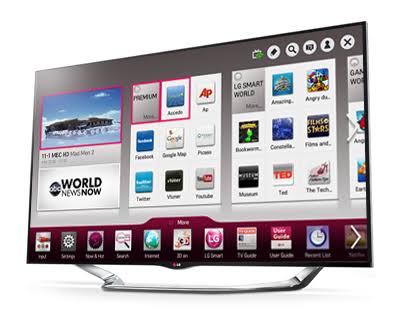
LG is a major player in both electronics and large home appliances: OLED televisions, refrigerators, washing machines, dishwashers, air conditioners and monitors. Modern models have dozens of features, and working them out without the official manual can be tricky.
This piece gathers the essentials: what LG makes, why the official manual is useful, and how to find the document by model number fast, without risking an outdated or incomplete file from a random site.
“A manual pays for itself with the very first mistake it helps you avoid.”
LG products from A to Z
In home electronics LG is best known for OLED and QNED televisions, soundbars and monitors, including the gaming UltraGear line. Here too are projectors and multimedia devices running the webOS interface.
Large appliances are the brand’s second strength: Side-by-Side and inverter-compressor refrigerators, washers and dryers, dishwashers, air conditioners and Styler steam cabinets. For each category LG ships detailed user manuals and installation guides.
The official manual: what’s inside and why
An LG manual is about safe installation and correct operation. For a fridge or washer, the power, water-supply and leveling requirements matter; mistakes here lead to vibration, leaks and higher energy use.
Just as useful is decoding the error codes on the display — they almost always point to a specific, often fixable unit. If you want to keep documents for various appliances handy, a general catalog like Manual Machine, with manuals for many brands, comes in useful.
How to open your LG manual in a minute
Look for the manual in a specialized library — that’s how you avoid stranger’s and outdated files. On the Manual Machine catalog you just pick the brand and model to open the document type you need: user manual, installation guide or service materials.
All of the brand’s guides are gathered in the LG section. The documents there are sorted by category and model, so by the device code you quickly reach the manual for your exact television, refrigerator or washing machine.
Frequently asked questions about LG
Where do you find an LG model? On TVs it’s in the “Support” menu and on the back panel; on large appliances it’s on a label on the body or behind the door. A code like OLED…, GR- or F- is your reference for a precise search.
What do the letters on an LG washer display mean? Codes such as IE, OE or UE point to water supply, drainage or load imbalance. The exact decoding and steps are given in the diagnostics section of your manual.
How do you correctly connect an LG fridge or air conditioner? All the installation, clearance and first-start requirements are in the installation guide. Following them directly affects the appliance’s lifespan and energy use.
What the documentation includes
A full documentation set for LG appliances, from televisions to washing machines includes more than one manual. Typically it’s a user manual for daily work, an installation or first-setup guide, and, for technically complex models, service materials with schematics.
Each type solves its own task: the user document answers operation questions, the installation one answers mounting questions, and the service one answers repair questions. Deciding on the task in advance speeds up the search for the right file considerably.
How to identify the model correctly
The key to the right manual is the exact model number, not the general series name. For LG appliances, from televisions to washing machines it’s almost always on a factory label: on the body, back panel, the inner side of the door, or the bottom of the unit. On devices with a screen the number is often duplicated in the system menu.
It’s important to copy the code in full, including the letters and digits after the hyphen: neighboring models in one series can differ noticeably in features and servicing. That’s why a search by the full number gives the right document, while a search by series name gives a dozen similar but not-yours.
Why save the user guide
A saved LG manual is a kind of insurance. While everything works you don’t need it, but the moment an unfamiliar signal or fault appears, the manual becomes the fastest source of an answer, sparing you guesswork and risky experiments.
A digital version is especially practical: it takes no space, is available at any moment, and opens by model code. Keeping it in your bookmarks is far more reliable than searching for the document anew each time from fragmentary queries.
Useful habits for LG owners
The longevity of LG appliances, from televisions to washing machines largely depends on everyday details. Regular maintenance, following the modes and reacting promptly to warning signals prevent the buildup of small problems that turn into an expensive repair over time.
The manual explains in detail how to clean the device correctly, which consumables to use and which modes to avoid. These recommendations aren’t a formality: following them is the simplest and cheapest way to keep the appliance in working order.
How do you know whether your manual is current? Go by an exact match to the model number: a document found by the full code relates to your LG revision. If the feature descriptions differ noticeably, it’s worth rechecking the code on the plate.
Is it worth keeping a paper manual? It’s more practical to keep a digital copy: it doesn’t get lost and is available from your phone. A paper copy can be kept as a backup, but it’s the digital version that more often helps at the needed moment.
A manual catalog: the advantage
Searching for a manual through the address bar means risking an incomplete PDF, the wrong model or paid access. A themed library is built differently: LG documentation is sorted by brand and model, and that sharply raises the chance of getting the correct file at once.
An extra convenience is having everything in one place. Next to the main manual there are usually other materials for the device, so you don’t have to collect them across scattered resources. Having found the model page once, it’s handy to save it for later.
Keeping an LG manual handy means depending less on service centers and making better use of the hardware. Find the document by model number, save it, and setup, care and diagnostics become a matter of minutes.
